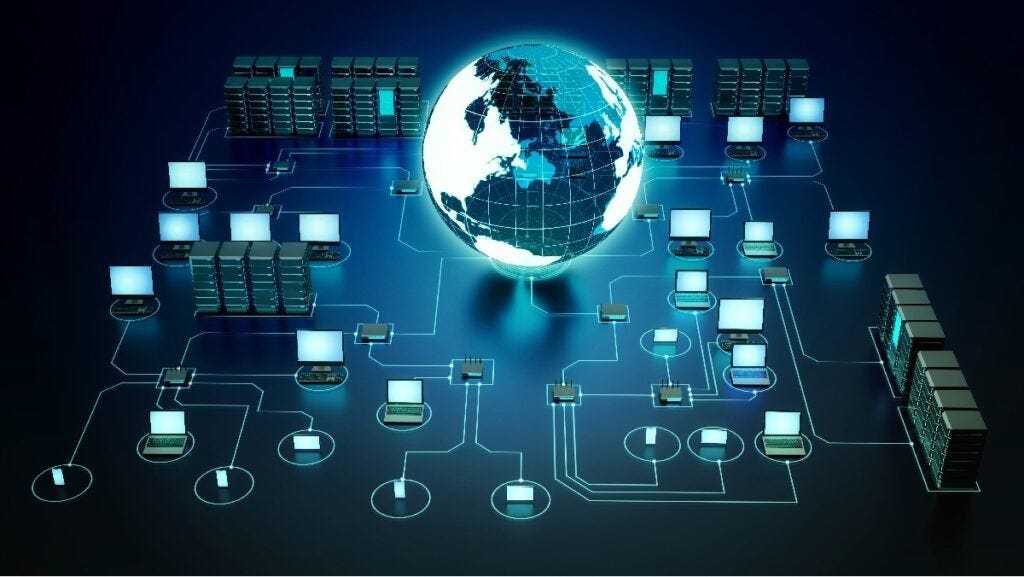

Computers rarely operate in isolation today. Whether sending email, streaming videos, printing documents, or sharing files between devices, networking makes it possible. Understanding computer networking basics helps users troubleshoot problems, improve security, and make smarter technology decisions at home, school, or work.
This guide explains networking concepts in simple language so beginners can understand how devices connect, communicate, and exchange information efficiently.
What Is Computer Networking
Computer networking is the process of connecting devices so they can communicate and share data. These devices may include computers, smartphones, printers, servers, and smart home equipment.
A network allows devices to:
- Share internet access
- Transfer files
- Communicate through messaging platforms
- Use shared printers or storage
- Access cloud services
Without networking, each device would function independently, limiting productivity and convenience.
Types of Computer Networks
Networks are classified based on size, coverage area, and purpose. Understanding the main types helps explain how connectivity works in different environments.
Local Area Network
A Local Area Network, commonly called a LAN, connects devices within a small geographic area such as:
- Homes
- Schools
- Offices
- Computer labs
LAN connections are usually fast and secure because devices are physically close to each other.
Most home WiFi setups are examples of LAN networks.
Wide Area Network
A Wide Area Network, known as a WAN, connects devices across large distances such as cities, states, or countries.
The internet itself is the largest example of a WAN. It links millions of smaller networks worldwide.
WAN networks rely on service providers to transmit data over long distances.
Metropolitan Area Network
A Metropolitan Area Network, or MAN, connects devices across a city or large campus. It sits between LAN and WAN in size.
Universities and government organizations often use MAN networks to connect multiple buildings.
Personal Area Network
A Personal Area Network, or PAN, connects devices around a single user.
Examples include:
- Bluetooth headphones
- Smartphones connected to laptops
- Smartwatches syncing with mobile phones
PAN networks operate within a short range and require minimal setup.
Key Networking Devices Explained
Networking depends on specialized hardware that manages communication between devices. Each device performs a unique function.
Router
A router connects multiple networks together and directs data between them.
At home, routers:
- Connect devices to the internet
- Assign local IP addresses
- Manage wireless connections
Without a router, devices cannot communicate efficiently with external networks.
Modem
A modem connects your home network to your internet service provider.
It converts signals from your provider into a format your router and devices can understand.
Many modern internet setups combine modem and router functions into one device.
Switch
A switch connects multiple wired devices inside a network.
Unlike routers, switches operate within a single network rather than linking different networks together.
Switches are common in offices where many computers share one network connection.
Access Point
A wireless access point allows devices to connect to a wired network using WiFi.
Large buildings often use multiple access points to extend wireless coverage across floors and rooms.
Wired vs Wireless Networking
Networks can connect devices using cables or wireless signals. Each method has advantages depending on usage needs.
Wired Networks
Wired connections use Ethernet cables to transmit data.
Benefits include:
- Faster speeds
- More reliable connections
- Reduced interference
- Improved security
They are commonly used in offices and gaming environments where stability matters.
Wireless Networks
Wireless networks transmit data using radio signals instead of cables.
Advantages include:
- Mobility and flexibility
- Easy installation
- Convenient device connectivity
- Support for smart home technology
Wireless networking is ideal for homes and portable devices.
Understanding IP Addresses
An IP address identifies each device connected to a network. It works like a mailing address that ensures information reaches the correct destination.
Two main types of IP addresses exist:
- Private IP addresses used inside local networks
- Public IP addresses used on the internet
Routers assign private IP addresses automatically so devices can communicate within a network.
What Is a Network Protocol
A network protocol is a set of rules that allows devices to communicate properly.
Protocols ensure data is transmitted accurately and efficiently between systems.
Common networking protocols include:
- HTTP for web browsing
- HTTPS for secure browsing
- FTP for file transfers
- TCP for reliable communication
- IP for addressing devices
Protocols operate together to support modern internet communication.
How Data Travels Across a Network
When data moves across a network, it travels in small units called packets.
Each packet contains:
- Sender address
- Receiver address
- Part of the message
Routers analyze these packets and choose the fastest path for delivery.
After reaching the destination, packets reassemble into the original message.
This process happens in milliseconds and allows seamless communication between devices worldwide.
Network Topologies Explained Simply
A network topology describes how devices are arranged within a network.
Different layouts affect performance, reliability, and scalability.
Star Topology
In star topology, all devices connect to a central router or switch.
Advantages include:
- Easy troubleshooting
- Simple expansion
- Reliable performance
Most modern networks use star topology.
Bus Topology
Bus topology connects all devices along one communication line.
Although inexpensive, it is less reliable because one cable failure can disrupt the entire network.
Mesh Topology
Mesh topology connects devices with multiple pathways.
Benefits include:
- Strong reliability
- Multiple backup routes
- Improved fault tolerance
Mesh systems are common in advanced wireless networks.
Network Security Basics
Security protects networks from unauthorized access and cyber threats.
Simple precautions significantly reduce risks.
Strong Password Protection
Always create strong passwords for:
- Routers
- WiFi networks
- Connected devices
Avoid using default passwords provided by manufacturers.
Enable Network Encryption
Encryption protects data during transmission.
Modern routers support secure encryption standards that prevent unauthorized monitoring.
Keep Software Updated
Regular updates fix vulnerabilities that attackers may exploit.
Updating router firmware and device operating systems strengthens protection.
Use Firewalls
Firewalls monitor incoming and outgoing network traffic.
They block suspicious activity and help maintain system safety.
Common Networking Problems and Simple Fixes
Even well-designed networks occasionally experience issues. Understanding basic troubleshooting steps saves time and frustration.
Slow Internet Speeds
Possible causes include:
- Weak WiFi signal
- Too many connected devices
- Outdated router firmware
Solutions include repositioning your router and restarting network equipment.
Devices Cannot Connect to WiFi
Check whether:
- The password is correct
- Airplane mode is disabled
- Router settings allow new connections
Restarting both router and device often resolves connection failures.
Frequent Network Disconnects
Interference from walls or electronics may weaken signals.
Improving router placement usually restores stability.
Benefits of Learning Networking Basics
Understanding networking fundamentals provides several advantages.
Users who know how networks function can:
- Troubleshoot connectivity problems quickly
- Improve internet performance
- Protect personal data more effectively
- Configure home networks confidently
- Support remote work environments efficiently
Even basic knowledge makes everyday technology easier to manage.
The Future of Computer Networking
Networking continues to evolve as technology advances.
Emerging developments include:
- Faster wireless speeds
- Smart home integration
- Cloud-based computing environments
- Expanded remote collaboration tools
Learning foundational networking concepts today prepares users for tomorrow’s digital infrastructure.
FAQ Section
What is the difference between bandwidth and internet speed
Bandwidth refers to the maximum amount of data a network can handle at one time, while internet speed describes how quickly that data transfers.
Why does my WiFi signal weaken in certain rooms
Walls, furniture, and electronic interference can block wireless signals and reduce coverage in specific areas of a building.
Can multiple routers exist in one home network
Yes. Additional routers or access points can extend coverage and improve connectivity in larger homes.
What is the purpose of DNS in networking
DNS translates website names into numerical IP addresses so computers can locate servers on the internet.
Is wired networking safer than wireless networking
Wired connections are generally harder for outsiders to access, but secure wireless networks can still provide strong protection when configured properly.
How many devices can connect to one router
The number depends on the router model and network capacity, but most modern routers support dozens of connected devices.
What happens if two devices have the same IP address
Duplicate IP addresses create communication conflicts that prevent devices from connecting properly until the issue is resolved.
If you would like another beginner friendly technology article in the same style, I can prepare one for you as well 🙂